Page 1 of 1 [ 13 posts ] 

naturalplastic
Veteran
Veteran

User avatar

Joined: 26 Aug 2010
Age: 71
Gender: Male
Posts: 35,189
Location: temperate zone

11 May 2020, 3:13 pm

It was easy to find the data base program on both of mom's last two apple desk top computers. It was always under Word (word or works, I think that it was Word). But cant find a data base program in any of the aps that came with my Windows Ten desk top.

Is there a way to set up a database on Windows Ten? Ive looked in both Excel, and in Word, but don't see any generic data bases. Various spreadsheets that are kinda like data bases, but nothing labeled "data base".


hurtloam
Veteran
Veteran

User avatar

Joined: 27 Mar 2011
Gender: Female
Posts: 8,748
Location: Eyjafjallajökull

11 May 2020, 4:02 pm

The windows database program is called Access, but it isn't usually part of the home office package.

You could install open office or libre office which are freeware and use their database progam.


naturalplastic
Veteran
Veteran

User avatar

Joined: 26 Aug 2010
Age: 71
Gender: Male
Posts: 35,189
Location: temperate zone

11 May 2020, 4:20 pm

Ok. Thanks.


blazingstar
Veteran
Veteran

User avatar

Joined: 19 Nov 2017
Age: 72
Gender: Female
Posts: 6,234

11 May 2020, 6:43 pm

If you are talking about spreadsheets, there is a free open office program for spreadsheets. I've also been using a free
office style programs called WPS. The main problem here is that WPS will not open open office spreadsheets which
a lot of people use.


_________________
The river is the melody
And sky is the refrain
- Gordon Lightfoot


naturalplastic
Veteran
Veteran

User avatar

Joined: 26 Aug 2010
Age: 71
Gender: Male
Posts: 35,189
Location: temperate zone

11 May 2020, 7:26 pm

My Excel has spreadsheets.But I am looking for databases.


I looked , and did find a site that gave free downloads of Open Office, but my McFee Shield popped up and said "Whoa" to warn me not to download from the site, so I agree to NOT take the risk, and left the site.

My Excel program has inventory aps that maybe I could adapt like you you might use a butter knife as a flathead screwdriver. But Id rather have a generic data base program if I can get it.


hurtloam
Veteran
Veteran

User avatar

Joined: 27 Mar 2011
Gender: Female
Posts: 8,748
Location: Eyjafjallajökull

12 May 2020, 4:23 am

I use MySQL for databases.

Here's a list of some free options that might be useful for you

https://www.goodcore.co.uk/blog/best-free-database-software/


naturalplastic
Veteran
Veteran

User avatar

Joined: 26 Aug 2010
Age: 71
Gender: Male
Posts: 35,189
Location: temperate zone

12 May 2020, 6:04 am

Gosh.

Looking at the offerings on that site is a bit scary.

I used databases to keep track of songs in my record/CD collection. And in my mom's previous apple desk tops I could just go to the data base program built in, and just set it up. Set up the columns- one for song title, another for artist, another for the title of the album/CD its on, another for the type of music, etc. Then just go to my record collection and start entering the data for each song on each disk. Just a do it yourself thing. I would create all kinds of data bases. Like small ones for keeping track of a particular artist ("Beatles Inventory", "Frank Sinatra Invetory"), and others for larger tasks like keeping track of every song I would take to party DJ gigs (like ten or twenty page books). None of this sophisticated stuff about interacting with other programs in my computer, or interacting with the internet. Just wanna pick up where I left off with the previous computer of making no frills make your own attributes data bases.


maycontainthunder
Veteran
Veteran

Joined: 9 Mar 2020
Gender: Male
Posts: 2,879

12 May 2020, 7:13 am

Perhaps look at Openoffice which has a Database program within.


AnneOleson
Veteran
Veteran

User avatar

Joined: 8 May 2016
Age: 69
Gender: Female
Posts: 2,826
Location: Coventry

16 May 2020, 12:03 am

I used to love Access.

It’s been at least ten years since I built a data base, but can’t you use the Workbook function of Excel to do what you’re looking for. Enter your data on the front page, with formulae linking to other sheets in the book, performing your functions in the background? A lot like Access.


naturalplastic
Veteran
Veteran

User avatar

Joined: 26 Aug 2010
Age: 71
Gender: Male
Posts: 35,189
Location: temperate zone

16 May 2020, 8:23 am

Maybe.

I am used to just jumping into it. Setting up columns myself (one for each data point I intend to sue for each data base:artist, title, what CD its on, etc), and then entering the data. And viola...your own custom made data base- that could be one page, or it can a whole thin book of pages.

Not used to that indirect way of doing it. Will check it out.


Soliloquist
Velociraptor
Velociraptor

User avatar

Joined: 13 Oct 2011
Age: 58
Gender: Male
Posts: 467

16 May 2020, 9:42 am

The 5 Best Free Microsoft Access Alternatives for Databases

naturalplastic wrote:
I am used to just jumping into it. Setting up columns myself (one for each data point I intend to sue for each data base:artist, title, what CD its on, etc), and then entering the data. And viola...your own custom made data base- that could be one page, or it can a whole thin book of pages.


Wouldn't number four on the list suffice?

Quote:
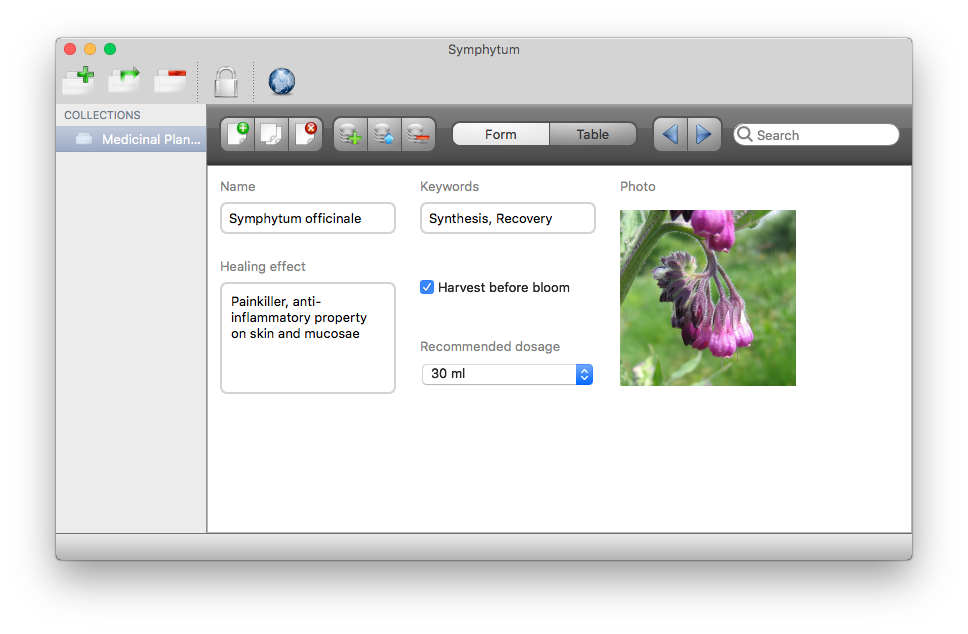
Symphytum is a free and open-source personal database software written in C++ and Qt for Windows, macOS and Linux. Design and edit simple databases in a visual and intuitive way, without any need to study complex database languages. Symphytum is directed at users who just want to organize data in custom designed collections without giving up advantages of database engines like fast loading speed, large data set handling, fast searching, sorting and more.

Manage all kind of data ranging from contacts, inventory, any type of collection, customers and so on. There are limitations though, Symphytum is not able to handle relational data and automatic field calculations yet. Also the import from CSV files is very limited, all imported data sets are handled just as text fields, future improvements to the import dialog, to specify each field type, are planned though.

Symphytum is able to synchronise your data through different cloud services like Dropbox or MEGA. It can detect and handle sync conflicts in case multiple user are using the same database via a supported cloud service.

Technically Symphytum is powered by the SQLite database engine, which is the leading embedded database solution, used in many mobile apps and modern computer programs, like web browsers, media players and email clients. SQLite is tiny, efficient and very fast. It can handle huge amount of data while being highly resistant to data corruption.
Features

Fields Are Not Just Text. Design your input forms with support for different data types: text, numeric, date, progress, image, file list, checkbox, combobox, etc.
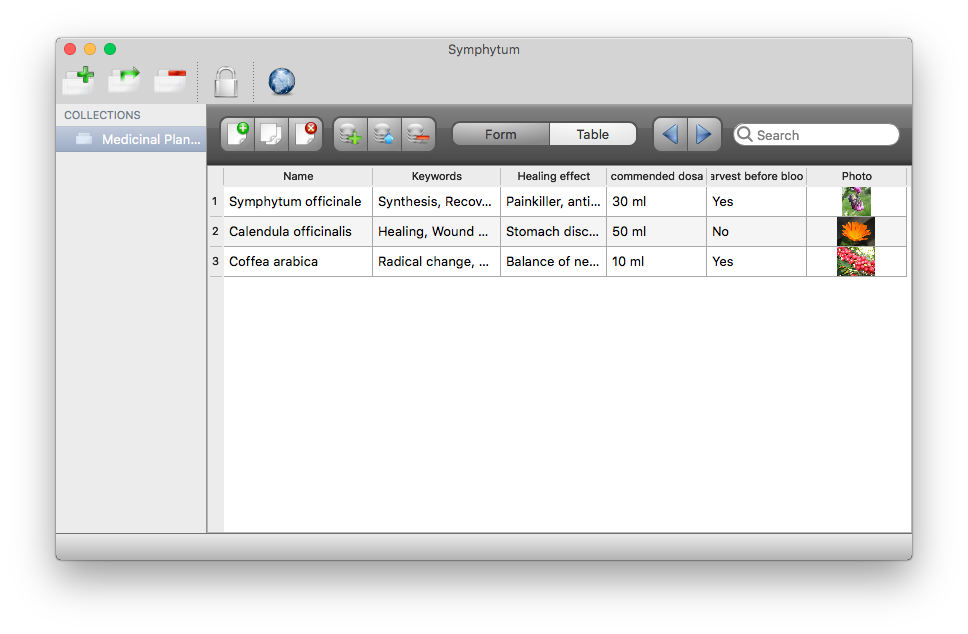
Two Views On The Same Data. Use the form view for structured data input and representation, use the table-like view for searching, sorting and comparing.
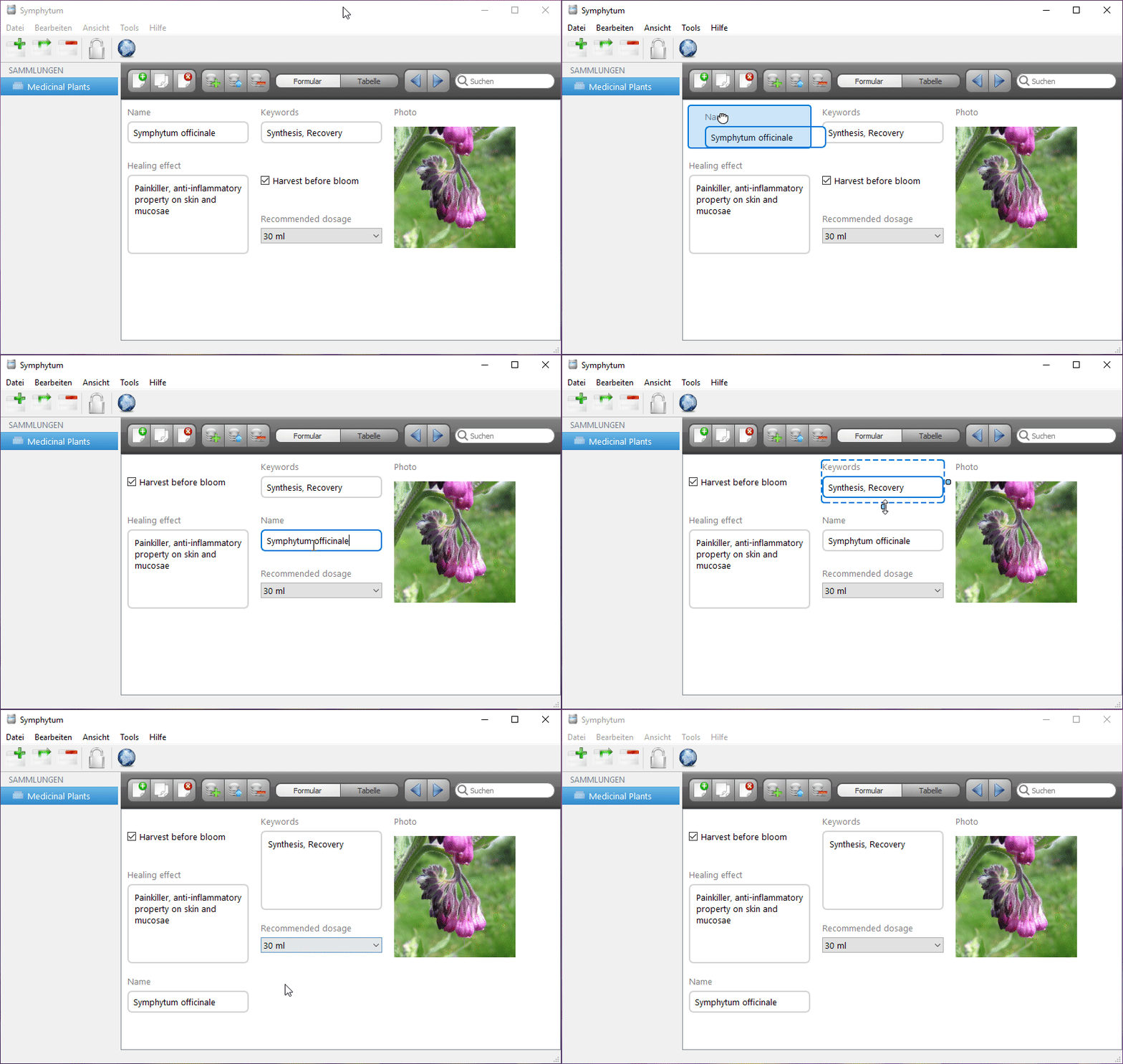
Dynamic Layout Engine. Rearrange dynamically your database layout by drag and drop in form view.
Integrated Cloud Sync. Using Symphytum across multiple computers is a joy. Your data is always automatically synchronised everywhere. Drivers for cloud services such as Dropbox and MEGA are included.
Sync Conflict Management. Symphytum manages synchronisation conflicts for you. While only one session with write access is allowed at the same time, other computers may access the database in read-only mode during an open session.
Date Reminder. Date fields keep you informed on tasks, appointments or birthdays, if requested. All Reminders, once triggered, are listed in one place.
Fast Search. Search while typing with highlighted results in a table view.
Backup and Export. Backup your data with a simple backup wizard and export your data to CSV.
Multilingual. User interface available in English, German, Polish, French and Italian. More info at the project Wiki.
Image
Image
Image
Image

Symphytum download


naturalplastic
Veteran
Veteran

User avatar

Joined: 26 Aug 2010
Age: 71
Gender: Male
Posts: 35,189
Location: temperate zone

16 May 2020, 7:40 pm

Symphytom does look something like what I had in mind, and what I was used to on Mom's Apple computers. Let me check it out.


cberg
Veteran
Veteran

User avatar

Joined: 31 Dec 2011
Gender: Male
Posts: 12,183
Location: A swiftly tilting planet

16 May 2020, 7:50 pm

naturalplastic wrote:
My Excel has spreadsheets.But I am looking for databases.


I looked , and did find a site that gave free downloads of Open Office, but my McFee Shield popped up and said "Whoa" to warn me not to download from the site, so I agree to NOT take the risk, and left the site.

My Excel program has inventory aps that maybe I could adapt like you you might use a butter knife as a flathead screwdriver. But Id rather have a generic data base program if I can get it.


McAfee is more problematic than LibreOffice, which is the current incarnation of OpenOffice.


_________________
"Standing on a well-chilled cinder, we see the fading of the suns, and try to recall the vanished brilliance of the origin of the worlds."
-Georges Lemaitre
"I fly through hyperspace, in my green computer interface"
-Gem Tos :mrgreen: