Another way to access PMs, apart from Cornflake's method which is the easiest -
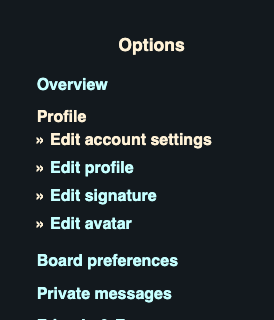
Step 1 - Be in the forum (not on PM). Click "My Account" up near the log out:

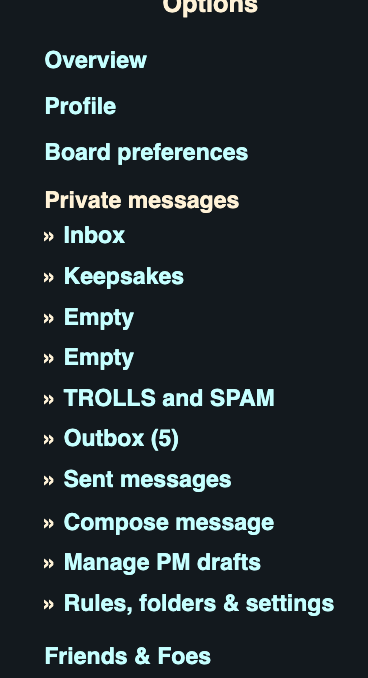
Step 2 - Click "Private Messages" way over on the far left:

Step 3 - Click Inbox, Sent, etc.
FYI, Messages you send to people will stay in your Outbox until the person reads them.
Then they'll go to your Sent box.

Here's some other tips since I'm now in a rabbit hole.
Go into "Board Preferences" (above ^ -- left side of screen)
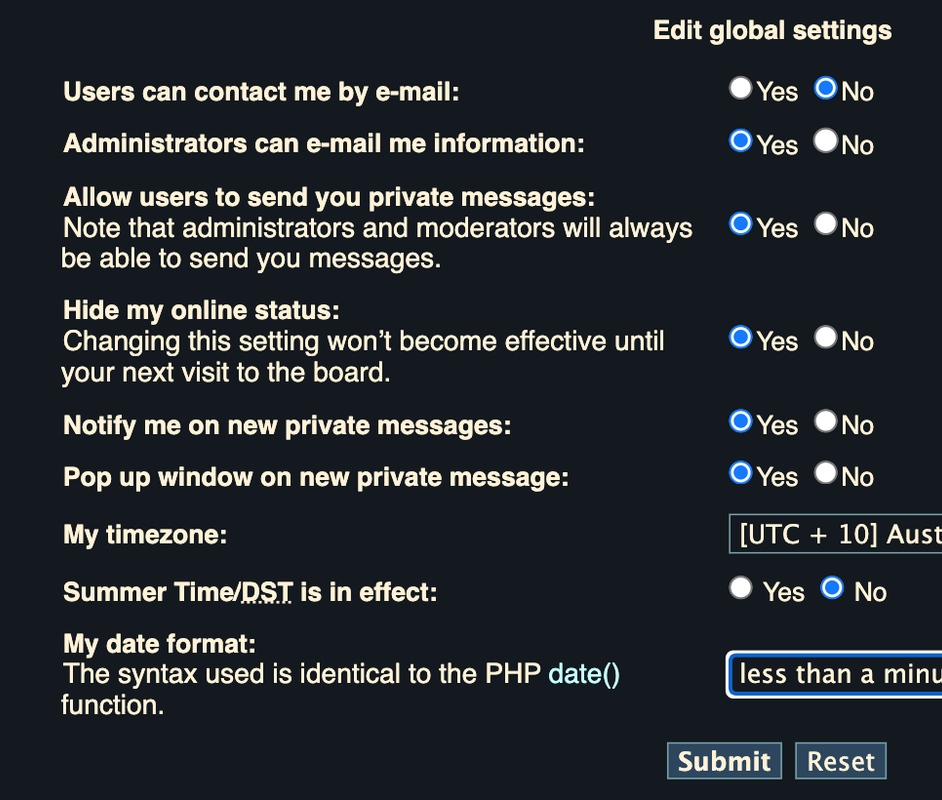
Click on Global Settings:
Make sure you are allowing members to PM you, if that's what you want.
Decide if you want people to see when you're online or not.
That would only really apply if you were in their friends list.

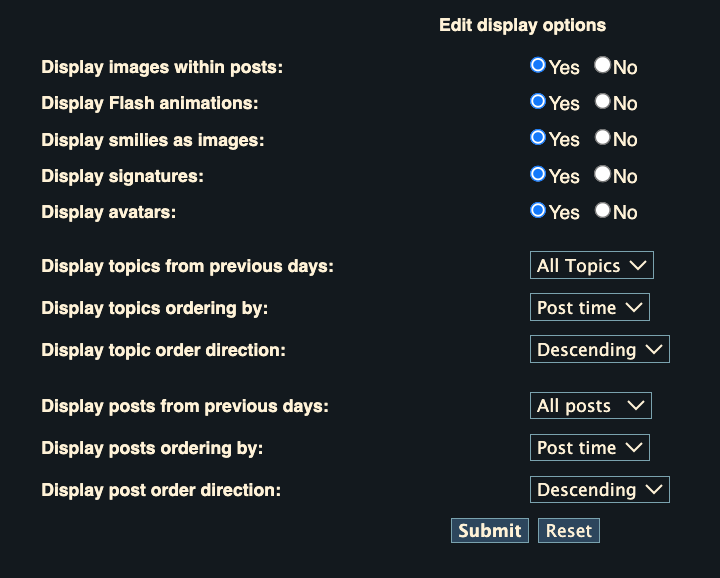
Then go into Display Options (also under Board Preferences):
Here you can decide if you want forum posts to show in ascending or descending order.
Ascending means that new posts will be at the bottom of every thread you open.
I always do Descending, so new posts are at the top underneath the thread title.
I go to "Page 1" of a thread for the new stuff, instead of Page 853 or whatever (the bottom).
You can decide your personal preference, but I prefer the newest on top.

To post a YT video just copy paste a link from YT
Highlight it after you paste it, and click the YouTube icon thingy.
There's another way but this way is the easiest imo.
Some videos are restricted to viewing only in certain countries.
That's a YT thing, not a WP thing.
_________________
I never give you my number, I only give you my situation.
Beatles