

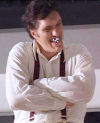
Man...I'm sorry, I love your posts, but your avitar is just too freaky for me...I know it's a soldier from James Bond for NES 64...but it creeps me out...I propose that thatrsdude change his avitar to something I won't have nightmares about...anybody second that motion?
not trying to force anyone to do anything...just expressing my opinion in my normal sarcastic and overstated way.
The avitar does freak me out though...I think because I've played that game alot and if I'm not mistaken the avitar is a screenshot of a programming glitch whereby the enemies will begin to run away but if you get in the way will just run in place 2 inches from your face. Thas always drove me nuts...plus 64 was just enough to make people look real from a distance, but the polygons are obvious up close..giving a very crep appearance
Joined: 14 Jul 2005 Age: 41 Gender: Male Posts: 1,178 Location: SA, Australia
19 Jul 2005, 2:02 am
I wasn't expecting this, I thought my avatar was quite harmless...
I'm sorry, but I'm not going to change an avatar just because someone doesn't like it. If I put up a picture of something that actually was scary or offensive that would be fair enough, but I'm not going to change it just because of some people's personal fears. I see lots of things like that in my life, but I accept they're there and I get over it.
Don't worry, I'm sure you'll get used to it after you see it for a while.
if you install firefox and then get the adblock extension you can right click on the picture and "AdBlock image"
<this is also can be used to block almost any type of advertisment over the internet... I never see ads or get pop ups (firefox by default kills popups that you do not request)>
<you can just go to this link or follow the paragraph below: http://downloads.mozdev.org/adblock/adblock-0.5-dev.xpi>
and then to get the extension installed you need to goto (in firefox) Tools -> Extensions then there is a blue hyperlink on the bottom the little box that pops up and click it (it says "Get More Extensions"). Then at the site you need to search / find Adblock and install the current branch (look for something that says 'dev builds' and click on 'Adblock 0.5 d2 nightly 39')
now that you clicked on it, you will get a little box that says if you want to install this you must add adblock.mozdev.org to your trusted install sites (for xpi extensions)... click allow. Now you might have to find the same download link again and click it once more, it should install this time. Then after its done, close your firefox browser and restart it. You can now right click on whatever image you want you don't want to see and select "adblock image". Its gone. You can do this however many times you want to whatever you want.
also, if you want no advertisments in general just download (as a text file): http://www.pierceive.com/filtersetg/2005-07-16a.txt Then you can go to the menu Tools -> Adblock -> preferences -> adblock options -> import filters and select the text file you saved to your disk. It will ask if you want to wipe out the old list... just click cancel and it will append it (doesn't really matter). Now you can delete the original text file you saved on your disk because adblock stored it elsewhere.
have fun with no ads on the internet and no pop ups
btw, whenever i see that avatar i get a little pissed off because of how it looks... but you can just make firefox / adblock prevent it from being shown
Joined: 2 Nov 2004 Gender: Female Posts: 17,054 Location: None
19 Jul 2005, 5:59 am
Quote:
in all honesty? looks like a cartoon elf.
Yeah I've been thinking is was one of Santa's helpers.
I think this thread is rather cheeky, if you ask me.. you could have just PM'd the member in question instead of making a fuss about something that was really none of anyone elses business. I hate heaps of avatars here, but it's not my place to decide what someone shows as their personal representation.